
Blogs
21-09-2026
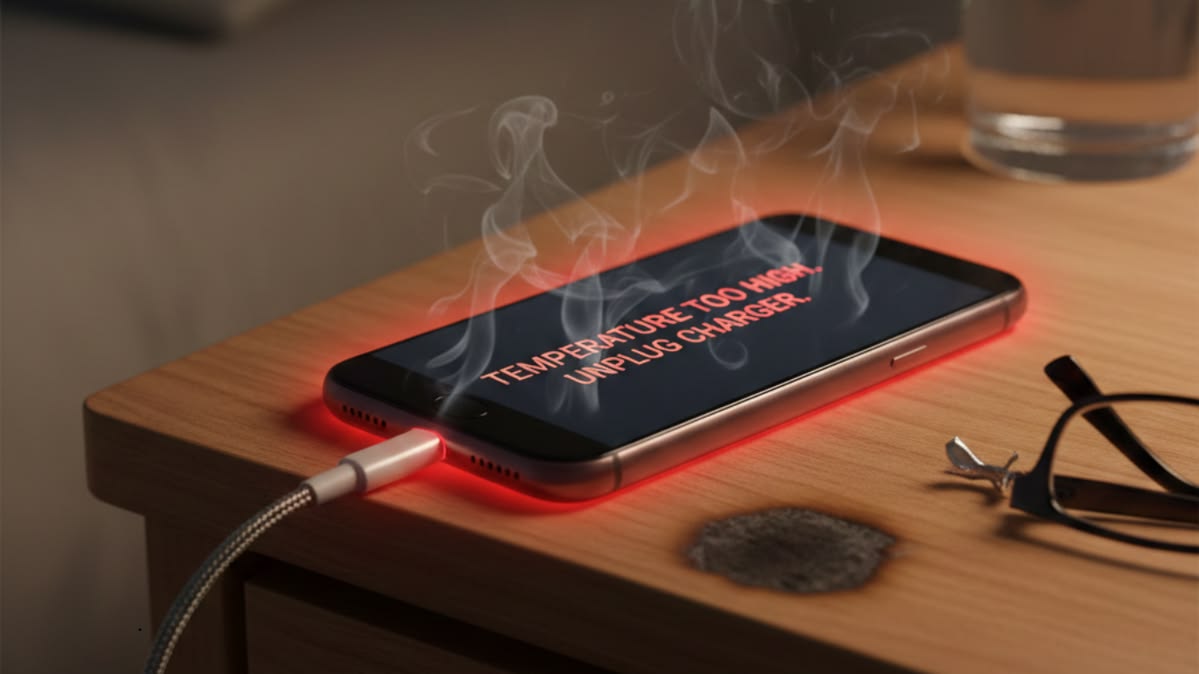
Mobile phone overheating is a common problem that can affect performance, battery life, and overall device reliability. While occasional warmth during charging or heavy usage can be normal, excessive or continuous heating may indicate a software, battery, charging, or motherboard-related issue.
For mobile repair technicians, understanding the causes of overheating is important because the same symptom can come from different components. Proper diagnosis helps identify the actual fault instead of replacing parts unnecessarily.
Several factors can cause a smartphone to become unusually hot. Common causes include:
Heavy processor usage
Faulty or damaged batteries
Charging circuit problems
Background applications
Software errors
Short circuits on the motherboard
Damaged charging components
Poor-quality chargers or cables
Network-related processor activity
Faulty ICs or components
A technician should identify whether the heating occurs during charging, normal usage, standby mode, or immediately after powering on the device.
If a phone becomes extremely hot while charging, the charging section should be inspected carefully.
Possible causes include:
Damaged charging port
Faulty charging IC
Poor-quality charging adapter
Damaged USB cable
Battery degradation
Shorted components in the charging circuit
A technician can use appropriate testing equipment to check charging behavior and voltage conditions before replacing any component.
Heating while the phone is not being used can be more significant from a repair perspective.
Possible reasons include:
Background software activity
Network-related issues
Battery leakage
Shorted capacitors
Faulty ICs
Motherboard leakage
If the phone heats up immediately after switching on, a technician may need to perform motherboard-level diagnosis.
Professional diagnosis should follow a systematic process.
The battery should be inspected for swelling, physical damage, unusual temperature, or abnormal charging behavior.
Technicians can inspect the charging port, connector, charging IC, and related components for damage or abnormal behavior.
A DC power supply can help technicians observe current consumption during startup and identify abnormal patterns.
Thermal testing equipment can help identify the area of the motherboard generating excessive heat.
If the problem is not related to the battery or software, the motherboard should be examined for short circuits, damaged components, or faulty ICs.
Some overheating problems cannot be solved by replacing external components. A short circuit or faulty component on the motherboard may require component-level diagnosis.
Technicians with advanced repair skills can learn to work with:
Capacitors
Resistors
Coils
Diodes
ICs
Power circuits
Charging circuits
CPU-related sections
Network circuits
Understanding circuit behavior allows technicians to approach complex faults more systematically.
Professional mobile repair work may involve tools such as:
Digital multimeter
DC power supply
Thermal camera
Digital microscope
Soldering station
Hot-air rework station
Oscilloscope
The exact equipment required depends on the type of fault and the technician's repair workflow.
Not every overheating problem is caused by hardware. Applications running continuously in the background, system errors, or excessive processor usage can also increase device temperature.
Before performing motherboard repairs, technicians should determine whether the problem is software-related. Checking system behavior and testing the device after appropriate software troubleshooting can help narrow down the cause.
Modern smartphones contain increasingly complex circuits and components. Repair technicians therefore need more than basic part-replacement skills.
Practical training can help technicians understand:
Circuit diagrams
Component identification
Voltage measurement
Current consumption
Short-circuit diagnosis
Motherboard troubleshooting
Soldering and microsoldering
Professional diagnostic equipment
Hands-on practice with real boards can also help technicians develop the precision required for advanced repair work.
Mobile phone overheating can result from several different problems, ranging from software activity and battery faults to charging issues and motherboard-level defects. Identifying the actual cause is essential before attempting a repair.
For professional technicians, developing systematic diagnostic and chip-level troubleshooting skills can make it easier to handle complex smartphone faults. Continuous technical training also helps repair professionals stay familiar with newer smartphone technologies, components, and diagnostic methods.
Be Up focuses on advanced practical training for experienced smartphone technicians, including Android, iPhone, and MacBook specialization programs. Its programs emphasize hands-on practice with real boards and professional repair equipment.