
Blogs
11-09-2026
Smartphone repair has changed significantly with the introduction of advanced chipsets, compact circuit designs, 5G technology, and highly integrated components. While replacing a damaged display or battery can be straightforward, diagnosing a motherboard problem requires deeper technical knowledge and practical experience.
Smartphone motherboard diagnosis is one of the most important skills for technicians who want to handle advanced repair cases professionally. Instead of replacing components through trial and error, technicians can use systematic testing methods to identify the actual cause of a fault.
Smartphone motherboard diagnosis is the process of identifying electrical, hardware, or component-level problems on a phone's main circuit board.
A motherboard contains several important components, including:
CPU and processor
Power management IC
Charging IC
Memory IC
Network and RF components
Audio IC
Display-related circuits
Camera circuits
Connectors and filters
Capacitors, resistors, coils, and other components
A fault in any of these areas can cause symptoms such as no power, boot failure, charging problems, network issues, overheating, or unexpected shutdowns.
Many smartphone problems may appear similar but have completely different causes.
For example, a phone that does not turn on could have:
A damaged battery
Charging circuit failure
Short circuit
Power IC problem
Broken motherboard connection
Software-related failure
Processor or memory-related damage
Replacing parts without proper diagnosis can increase repair costs and waste valuable time.
A trained technician first identifies the symptoms and then performs systematic tests to locate the faulty section.
A phone that does not power on is one of the most common advanced repair cases.
The technician may need to check the battery line, power supply section, charging circuit, and other power-related components before identifying the actual fault.
If a smartphone does not charge properly, the issue may not always be the charging port or cable.
Possible causes include:
Damaged charging components
Faulty charging IC
Shorted components
Broken tracks
Corrosion
Power management problems
Proper circuit testing helps technicians identify the problem accurately.
A smartphone that becomes unusually hot can indicate a short circuit or a faulty component.
Thermal inspection can help technicians identify areas where excessive heat is being generated.
A phone repeatedly restarting or getting stuck at the logo can result from software problems, storage issues, power problems, or motherboard faults.
A technician should diagnose the device systematically rather than immediately replacing major components.
Network-related faults can involve antenna connections, RF circuits, filters, connectors, or other components.
Advanced diagnosis helps identify whether the issue is hardware-related before attempting component-level repair.
Professional technicians use specialized tools to identify motherboard faults.
Some commonly used equipment includes:
A multimeter can help technicians measure voltage, resistance, continuity, and identify possible short circuits.
A DC power supply can provide useful information about a device's current consumption and help technicians investigate power-related faults.
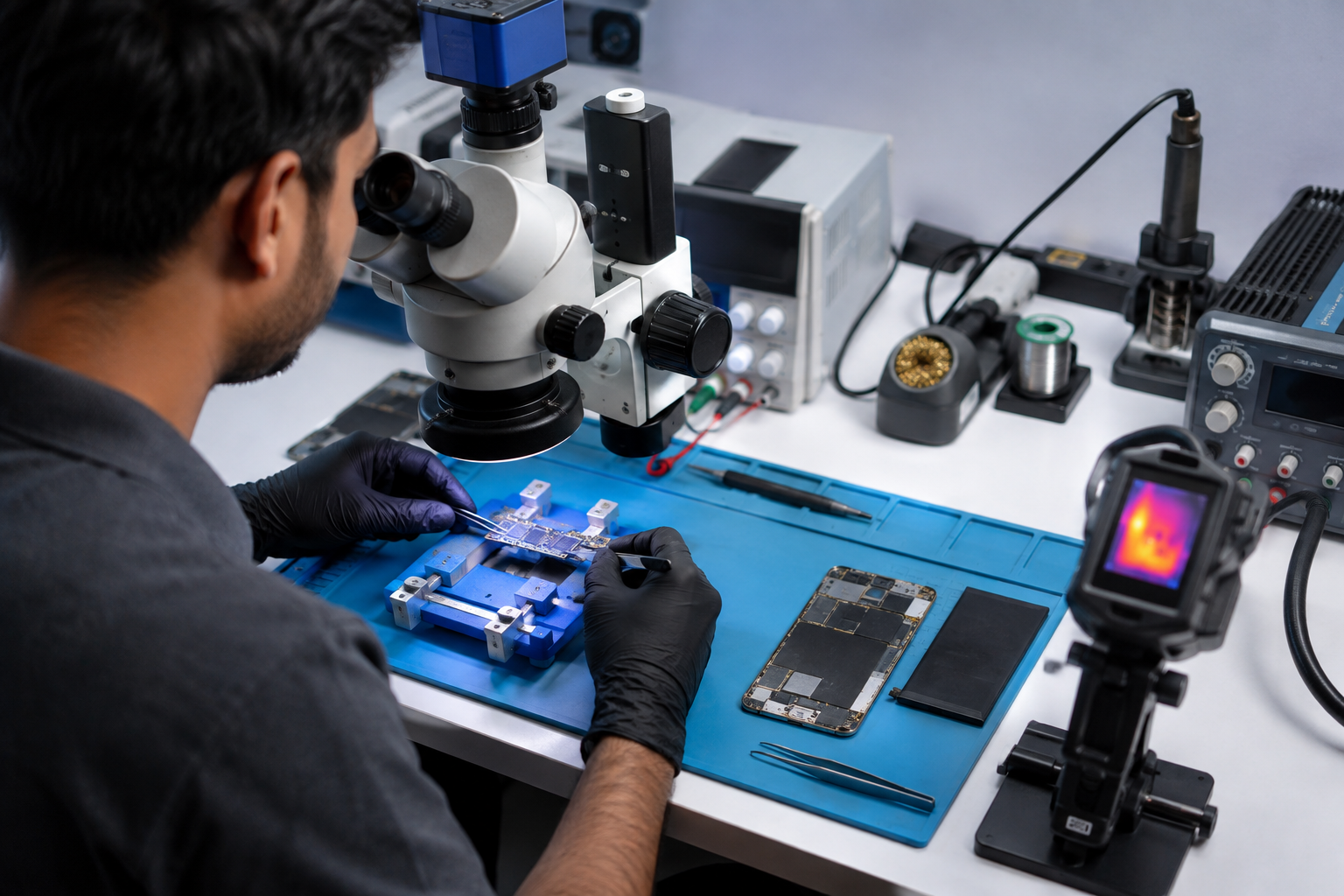
A professional microscope allows technicians to inspect tiny components, solder joints, connectors, and damaged PCB areas.
A thermal camera can help identify abnormal heat-producing areas on a motherboard, which can be particularly useful when investigating short circuits.
An oscilloscope can be used for advanced signal analysis and helps experienced technicians examine electrical signals within circuits.
A systematic approach can make advanced repair work more efficient.
Before opening the device, understand exactly what happened.
Ask questions such as:
Did the phone fall?
Was it exposed to water?
Did it stop working while charging?
Was any repair attempted earlier?
Did the problem start after a software update?
This information can provide important diagnostic clues.
Inspect the motherboard carefully for:
Burn marks
Corrosion
Missing components
Broken connectors
Damaged tracks
Previous repair work
Use appropriate testing equipment to examine the relevant power circuits and identify abnormal readings.
A short circuit can prevent a smartphone from powering on or cause excessive current consumption.
Technicians should use proper testing procedures and equipment to locate the affected section.
Once measurements and observations are collected, narrow the problem down to a particular circuit or component.
After identifying the fault, the technician can carry out the appropriate component-level repair using professional soldering and rework equipment.
Motherboard repair cannot be mastered through theory alone.
Technicians need practical experience with real boards, different smartphone models, professional tools, and real-world fault conditions.
This is why advanced training programs can be valuable for technicians who want to move beyond basic mobile repairs.
Be Up focuses on advanced Android, iPhone, and MacBook repair training, with hands-on practice using real boards and professional equipment. The institute also highlights training with tools such as oscilloscopes, thermal cameras, and advanced reballing equipment.
The smartphone repair industry continues to evolve as manufacturers introduce new technologies and increasingly complex circuit designs.
Technicians who understand motherboard diagnosis can expand the range of problems they are able to handle. Advanced skills can also help repair professionals improve troubleshooting accuracy and provide better service to customers.
For technicians looking to specialize in Android, iPhone, or MacBook repair, structured practical training can provide a strong foundation for developing advanced technical skills.
Smartphone motherboard diagnosis is an essential skill for technicians who want to work on complex mobile repair problems. From no-power issues and charging faults to overheating and network problems, systematic diagnosis helps identify the actual cause instead of relying on guesswork.
With the right knowledge, professional tools, and hands-on practice, technicians can develop the confidence needed to handle advanced motherboard repair cases.
For experienced mobile technicians, upgrading from basic component replacement to advanced motherboard diagnosis can be an important step toward becoming a highly skilled smartphone repair specialist.