
Blogs
15-09-2026
A mobile phone that does not turn on can have several possible causes, from a faulty battery or charging port to a serious motherboard problem. When basic troubleshooting does not solve the issue, technicians need to diagnose the motherboard carefully to identify the exact fault.
Mobile motherboard repair is an important part of professional smartphone servicing. With proper diagnostic methods and practical training, technicians can identify power-related faults, short circuits, damaged components, and other motherboard issues more efficiently.
In this guide, we will explain how to diagnose a dead mobile phone motherboard and the basic techniques used in chip-level repair.
A dead mobile phone is a device that shows no normal signs of operation. It may not power on, charge, vibrate, display a logo, or respond to the power button.
However, a phone that appears completely dead does not necessarily have a damaged motherboard. The problem could be related to:
Battery failure
Damaged charging port
Faulty display
Power button failure
Charging circuit problems
Water or liquid damage
Short circuit
Damaged motherboard components
Power management IC failure
Software or firmware issues
Therefore, proper diagnosis should be performed before replacing or repairing motherboard components.
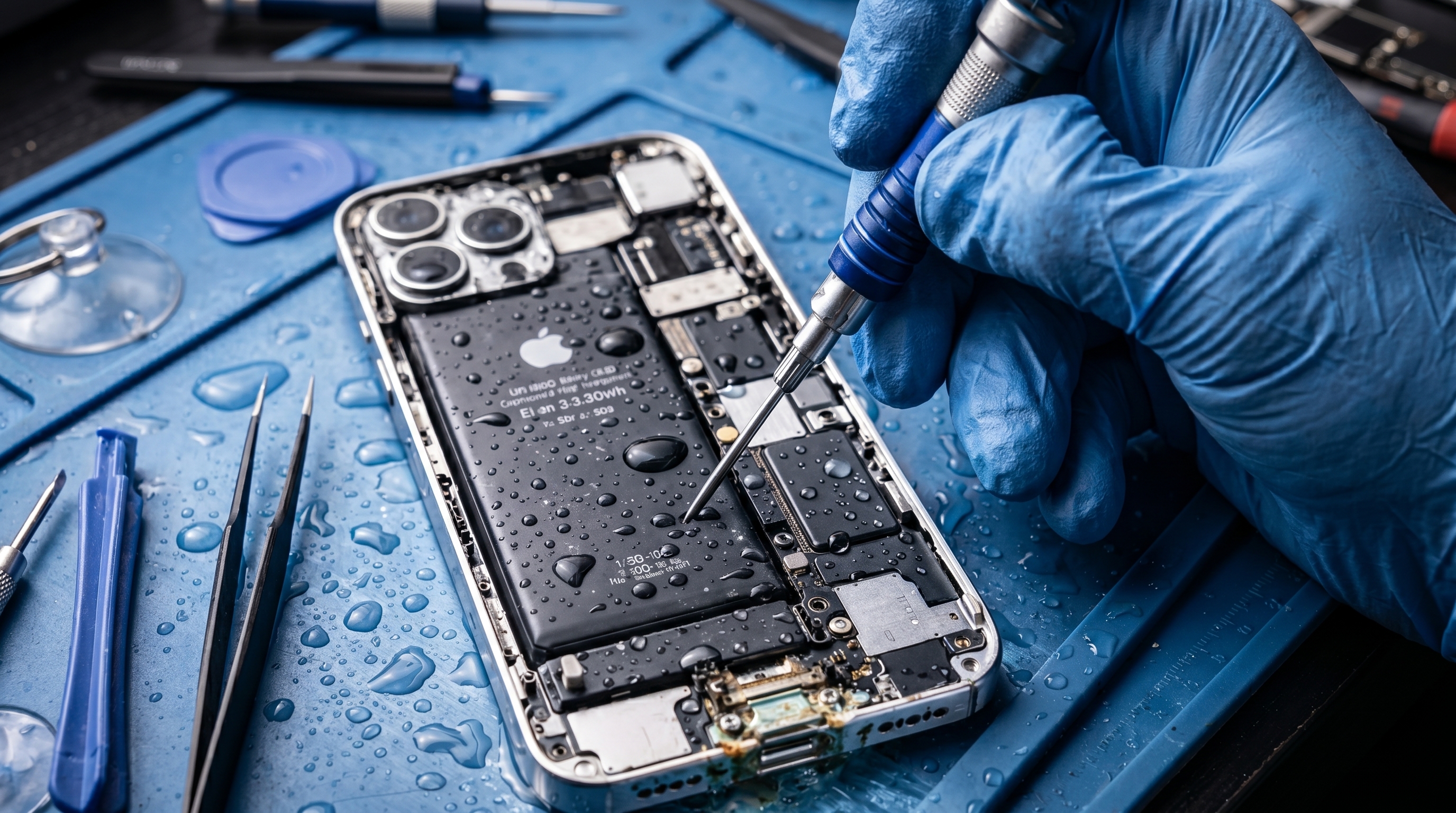
The first step in mobile motherboard repair is a visual inspection.
Check the phone for signs of:
Physical damage
Cracked or bent motherboard
Burn marks
Corrosion
Liquid damage
Loose connectors
Missing components
Damaged charging components
Water damage can cause corrosion and electrical shorts, so technicians should pay particular attention to areas around connectors and power-related components.
A faulty or completely discharged battery can make a phone appear dead.
Before diagnosing the motherboard, check the battery condition and its voltage using appropriate testing equipment.
If the battery is faulty, replacing it may solve the problem. If the battery is healthy but the phone still shows no response, continue with further diagnosis.
Connect the phone to a suitable charger and check whether there is any indication of charging.
If there is no charging response, inspect:
Charging port
Charging connector
Charging circuit
USB-related components
Charging IC
Nearby capacitors and resistors
A damaged charging port does not always mean that the motherboard is defective. Careful testing helps determine where the actual problem exists.
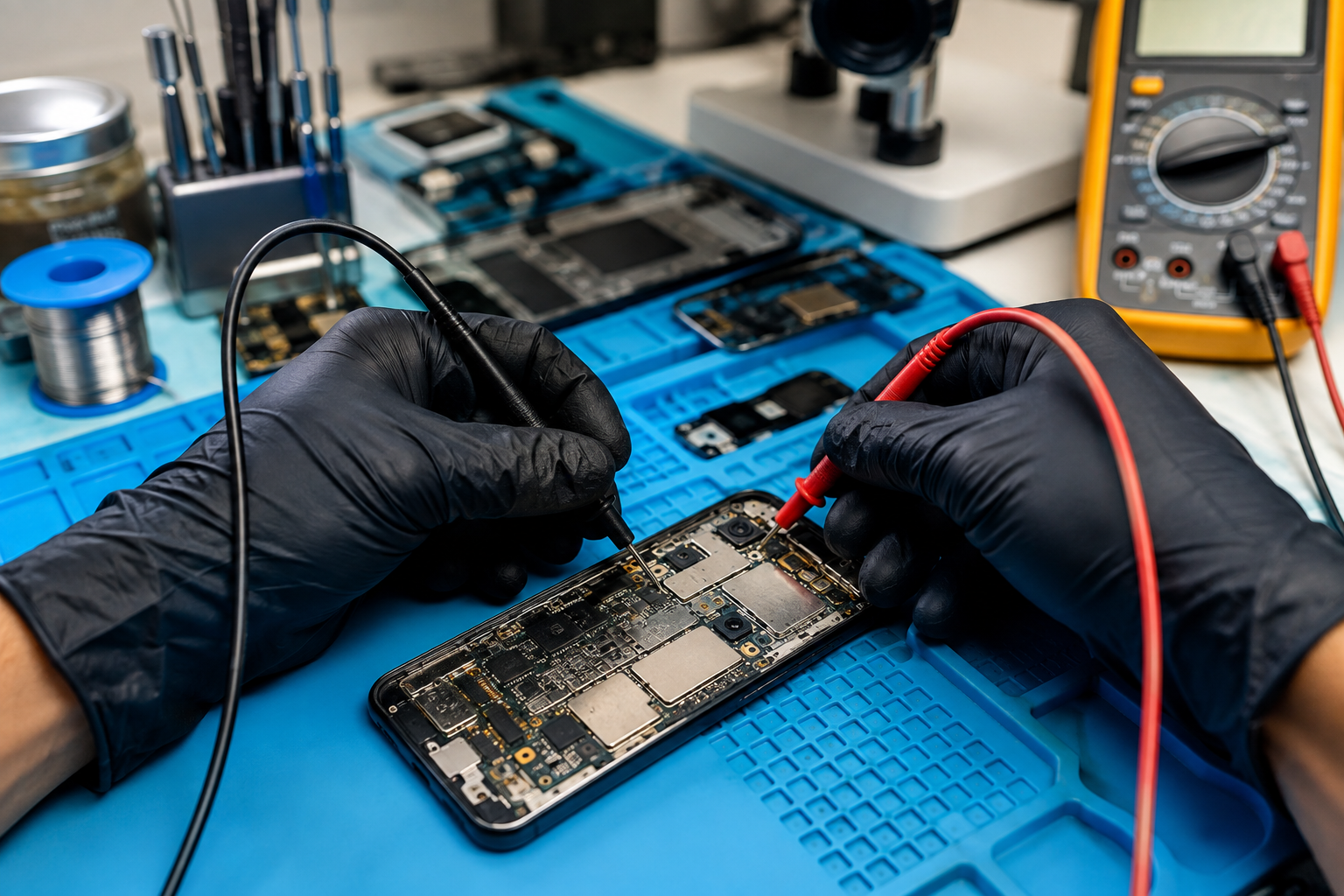
One of the important techniques in chip level mobile repair is checking the motherboard for short circuits.
A short circuit can prevent the phone from powering on and may cause excessive current consumption.
Technicians can use appropriate diagnostic equipment, such as a multimeter or DC power supply, to investigate abnormal power behavior.
When a short is suspected, the technician should identify the affected power line and locate the faulty component using safe diagnostic procedures.
Modern smartphones contain several power rails that supply different sections of the motherboard.
A technician may need to check whether the expected power is reaching important sections of the board.
The diagnosis can involve checking:
Main power input
Battery line
Charging power line
Power management section
CPU-related power circuits
Memory-related power circuits
If a required power line is missing, the technician can trace the circuit to identify where the power supply is interrupted.
The Power Management IC, commonly called PMIC, plays an important role in distributing power to different components.
If the PMIC or its surrounding circuit has a fault, the phone may fail to boot or may show no response at all.
A technician should not immediately replace the PMIC. First, the surrounding power lines and related components should be tested to determine whether the IC itself is actually responsible for the problem.
Liquid damage is another common reason for motherboard failure.
Even if the phone appears visually clean, moisture can cause corrosion underneath components and connectors.
During diagnosis, technicians should inspect the motherboard carefully for:
Corrosion
Oxidation
Discolored components
Damaged connectors
Residue around ICs
Shorted components
Proper cleaning and inspection may be required before electrical testing.
A DC power supply can help technicians understand how a motherboard behaves when power is applied.
The current consumption pattern can provide useful clues about the fault.
For example, unusual current behavior may indicate a short circuit or a problem in a particular power section. However, current readings should always be interpreted according to the specific phone model and circuit design.
This is why practical mobile motherboard repair training is valuable for technicians who want to develop professional diagnostic skills.
Professional motherboard diagnosis becomes easier when technicians have access to the correct schematic or boardview information for the device.
These resources can help identify:
Component locations
Power lines
IC connections
Test points
Ground connections
Circuit pathways
Instead of randomly replacing components, technicians can follow the circuit and test the relevant points systematically.
After testing different sections, the technician should identify the actual cause of the failure.
Possible motherboard-related faults include:
Shorted capacitor
Damaged resistor
Broken power line
Faulty IC
Corroded connection
Damaged connector
Broken PCB track
Power management failure
Finding the root cause is more important than simply replacing a component because the same fault can return if the underlying problem is not solved.
Several situations can cause serious motherboard problems.
Moisture can create corrosion and electrical shorts.
Drops and bending can damage PCB tracks, connectors, or components.
Incorrect soldering, excessive heat, or improper component replacement can damage sensitive motherboard components.
Unstable power sources or electrical problems can affect charging and power circuits.
ICs, capacitors, resistors, and other electronic components can fail over time.
Basic mobile servicing usually focuses on replacing external components such as displays, batteries, speakers, cameras, and charging ports.
Chip-level mobile repair goes deeper into motherboard diagnosis and component-level troubleshooting.
Learning these skills can help technicians handle more complex repair cases, including:
Dead phones
Charging faults
Boot problems
Short circuits
Power-related failures
Network-related motherboard faults
Audio circuit problems
Liquid-damaged boards
Practical training can help learners understand how to use diagnostic equipment and follow systematic troubleshooting methods.
Motherboards contain sensitive electronic components, so technicians should follow proper precautions.
Use appropriate ESD protection.
Use the correct tools for testing.
Avoid applying excessive heat.
Do not randomly replace ICs.
Check the circuit before removing components.
Use the correct schematic or boardview when available.
Record test results during diagnosis.
Follow manufacturer and equipment safety procedures.
Diagnosing a dead smartphone requires more than simply changing the battery or charging port. A technician needs to understand electronic circuits, power distribution, testing methods, soldering, and motherboard troubleshooting.
For learners who want to develop professional mobile motherboard repair skills, structured practical training can provide a strong foundation in chip-level diagnosis and repair techniques.
Be Up Learning offers technical training designed to help learners build practical repair skills and understand advanced mobile repair techniques. With the right knowledge and hands-on practice, aspiring technicians can improve their ability to diagnose complex smartphone motherboard problems.
A dead mobile phone can be caused by something simple, such as a faulty battery, or by a complex motherboard fault. Proper diagnosis is therefore essential before performing any repair.
By following a systematic process—starting with physical inspection and battery testing, then checking charging circuits, power lines, shorts, and motherboard components—technicians can narrow down the source of the problem.
For anyone interested in a career in advanced mobile servicing, learning mobile motherboard repair and chip-level diagnostic techniques can be a valuable step toward becoming a skilled professional technician.A mobile phone that does not turn on can have several possible causes, from a faulty battery or charging port to a serious motherboard problem. When basic troubleshooting does not solve the issue, technicians need to diagnose the motherboard carefully to identify the exact fault.
Mobile motherboard repair is an important part of professional smartphone servicing. With proper diagnostic methods and practical training, technicians can identify power-related faults, short circuits, damaged components, and other motherboard issues more efficiently.
In this guide, we will explain how to diagnose a dead mobile phone motherboard and the basic techniques used in chip-level repair.
A dead mobile phone is a device that shows no normal signs of operation. It may not power on, charge, vibrate, display a logo, or respond to the power button.
However, a phone that appears completely dead does not necessarily have a damaged motherboard. The problem could be related to:
Battery failure
Damaged charging port
Faulty display
Power button failure
Charging circuit problems
Water or liquid damage
Short circuit
Damaged motherboard components
Power management IC failure
Software or firmware issues
Therefore, proper diagnosis should be performed before replacing or repairing motherboard components.
The first step in mobile motherboard repair is a visual inspection.
Check the phone for signs of:
Physical damage
Cracked or bent motherboard
Burn marks
Corrosion
Liquid damage
Loose connectors
Missing components
Damaged charging components
Water damage can cause corrosion and electrical shorts, so technicians should pay particular attention to areas around connectors and power-related components.
A faulty or completely discharged battery can make a phone appear dead.
Before diagnosing the motherboard, check the battery condition and its voltage using appropriate testing equipment.
If the battery is faulty, replacing it may solve the problem. If the battery is healthy but the phone still shows no response, continue with further diagnosis.
Connect the phone to a suitable charger and check whether there is any indication of charging.
If there is no charging response, inspect:
Charging port
Charging connector
Charging circuit
USB-related components
Charging IC
Nearby capacitors and resistors
A damaged charging port does not always mean that the motherboard is defective. Careful testing helps determine where the actual problem exists.
One of the important techniques in chip level mobile repair is checking the motherboard for short circuits.
A short circuit can prevent the phone from powering on and may cause excessive current consumption.
Technicians can use appropriate diagnostic equipment, such as a multimeter or DC power supply, to investigate abnormal power behavior.
When a short is suspected, the technician should identify the affected power line and locate the faulty component using safe diagnostic procedures.
Modern smartphones contain several power rails that supply different sections of the motherboard.
A technician may need to check whether the expected power is reaching important sections of the board.
The diagnosis can involve checking:
Main power input
Battery line
Charging power line
Power management section
CPU-related power circuits
Memory-related power circuits
If a required power line is missing, the technician can trace the circuit to identify where the power supply is interrupted.
The Power Management IC, commonly called PMIC, plays an important role in distributing power to different components.
If the PMIC or its surrounding circuit has a fault, the phone may fail to boot or may show no response at all.
A technician should not immediately replace the PMIC. First, the surrounding power lines and related components should be tested to determine whether the IC itself is actually responsible for the problem.
Liquid damage is another common reason for motherboard failure.
Even if the phone appears visually clean, moisture can cause corrosion underneath components and connectors.
During diagnosis, technicians should inspect the motherboard carefully for:
Corrosion
Oxidation
Discolored components
Damaged connectors
Residue around ICs
Shorted components
Proper cleaning and inspection may be required before electrical testing.
A DC power supply can help technicians understand how a motherboard behaves when power is applied.
The current consumption pattern can provide useful clues about the fault.
For example, unusual current behavior may indicate a short circuit or a problem in a particular power section. However, current readings should always be interpreted according to the specific phone model and circuit design.
This is why practical mobile motherboard repair training is valuable for technicians who want to develop professional diagnostic skills.
Professional motherboard diagnosis becomes easier when technicians have access to the correct schematic or boardview information for the device.
These resources can help identify:
Component locations
Power lines
IC connections
Test points
Ground connections
Circuit pathways
Instead of randomly replacing components, technicians can follow the circuit and test the relevant points systematically.
After testing different sections, the technician should identify the actual cause of the failure.
Possible motherboard-related faults include:
Shorted capacitor
Damaged resistor
Broken power line
Faulty IC
Corroded connection
Damaged connector
Broken PCB track
Power management failure
Finding the root cause is more important than simply replacing a component because the same fault can return if the underlying problem is not solved.
Several situations can cause serious motherboard problems.
Moisture can create corrosion and electrical shorts.
Drops and bending can damage PCB tracks, connectors, or components.
Incorrect soldering, excessive heat, or improper component replacement can damage sensitive motherboard components.
Unstable power sources or electrical problems can affect charging and power circuits.
ICs, capacitors, resistors, and other electronic components can fail over time.
Basic mobile servicing usually focuses on replacing external components such as displays, batteries, speakers, cameras, and charging ports.
Chip-level mobile repair goes deeper into motherboard diagnosis and component-level troubleshooting.
Learning these skills can help technicians handle more complex repair cases, including:
Dead phones
Charging faults
Boot problems
Short circuits
Power-related failures
Network-related motherboard faults
Audio circuit problems
Liquid-damaged boards
Practical training can help learners understand how to use diagnostic equipment and follow systematic troubleshooting methods.
Motherboards contain sensitive electronic components, so technicians should follow proper precautions.
Use appropriate ESD protection.
Use the correct tools for testing.
Avoid applying excessive heat.
Do not randomly replace ICs.
Check the circuit before removing components.
Use the correct schematic or boardview when available.
Record test results during diagnosis.
Follow manufacturer and equipment safety procedures.
Diagnosing a dead smartphone requires more than simply changing the battery or charging port. A technician needs to understand electronic circuits, power distribution, testing methods, soldering, and motherboard troubleshooting.
For learners who want to develop professional mobile motherboard repair skills, structured practical training can provide a strong foundation in chip-level diagnosis and repair techniques.
Be Up Learning offers technical training designed to help learners build practical repair skills and understand advanced mobile repair techniques. With the right knowledge and hands-on practice, aspiring technicians can improve their ability to diagnose complex smartphone motherboard problems.
A dead mobile phone can be caused by something simple, such as a faulty battery, or by a complex motherboard fault. Proper diagnosis is therefore essential before performing any repair.
By following a systematic process—starting with physical inspection and battery testing, then checking charging circuits, power lines, shorts, and motherboard components—technicians can narrow down the source of the problem.
For anyone interested in a career in advanced mobile servicing, learning mobile motherboard repair and chip-level diagnostic techniques can be a valuable step toward becoming a skilled professional technician.